
The 4K vs 8K TV conversation usually begins with resolution. More pixels sound better. A sharper image feels like an easy upgrade. In a showroom, the largest screen on the brightest wall can make the decision seem obvious.
At home, the question becomes more interesting.
A television does not perform in isolation. It lives inside a room, on a wall, at a certain distance from the seating, connected through cables, receivers, streaming devices, game consoles, speakers, network equipment, and power locations. A premium screen can only feel premium if the system around it supports what the screen is capable of doing.
That is why a 4K vs 8K TV decision should not be made from the box alone. The screen matters, but the installation often decides whether the upgrade feels clean, comfortable, and worth the investment.
At Homeva, TV installation is treated as part of the room’s architecture and technology plan. The screen should sit at the right height, connect cleanly, hide what should be hidden, support the source equipment, and feel natural from the main viewing position. That matters whether the homeowner chooses 4K today, prepares for 8K later, or wants a media wall that feels finished from the beginning.
The 4K vs 8K TV Question Is Really a Room Question
A 4K TV is already a strong practical standard for most homes. It has broad content support, strong streaming compatibility, mature device infrastructure, and excellent display quality when installed well. For living rooms, bedrooms, family rooms, and many media areas, a high-quality 4K setup can still feel polished and current.
An 8K TV goes further in resolution. It has more pixels, but more pixels do not automatically create a better viewing experience in every room.
The room decides how much of that difference matters.
Screen size, seating distance, wall placement, glare, lighting, source quality, HDMI capability, audio routing, network reliability, and cable management all influence the result. A smaller 8K screen viewed from far away may not feel dramatically different from a well-installed 4K display. A very large screen in a dedicated room, viewed from the right distance, may make the extra resolution feel more meaningful.
The smartest 4K vs 8K TV conversation starts with how the room is actually used.
Viewing Distance Still Changes Everything
Resolution matters when the viewer is close enough, or the screen is large enough, for the extra detail to be visible. That is where many upgrades lose value. A homeowner may buy a premium display, mount it too far from the seating area, and never experience the level of sharpness expected from the upgrade.
A living room usually has one main viewing position. That sofa, sectional, or lounge chair should guide the decision. If the seating is far from the wall, screen size becomes more important. If the room can support a larger screen without feeling awkward, higher resolution may become easier to appreciate.
Viewing height matters too. A TV mounted too high can create discomfort, even if the image is excellent. A screen placed in direct glare can feel washed out, even if the panel is technically advanced. A poor cable path can limit performance, even if the display supports premium formats.
This is why 4K vs 8K TV planning should begin with the body, not only the specs. Where do people sit? How long do they watch? Does the screen feel natural at eye level? Does the room invite comfort, or does it force the viewer to adapt?
4K Is Still the Smarter Fit for Many Homes
For many homeowners, 4K remains the stronger practical choice. The content ecosystem is stronger, the equipment ecosystem is broader, and most common sources are built around 4K performance.
Streaming platforms, game consoles, Ultra HD Blu-ray players, AV receivers, soundbars, and media devices are widely designed around 4K. Many premium 4K TVs also offer excellent brightness, contrast, HDR handling, colour accuracy, and motion processing. Those qualities often affect daily viewing more than resolution alone.
A well-installed 4K display can outperform a poorly planned 8K setup in real life. If the TV is mounted correctly, wired cleanly, connected through the right HDMI path, paired with strong audio, and supported by lighting control, the experience can feel refined and complete.
That does not make 8K unnecessary. It simply means the 4K vs 8K TV choice should be practical. Sometimes the best upgrade is not a higher-resolution panel. Sometimes it is better placement, cleaner wiring, improved audio, stronger networking, or a more intentional media wall.
When 8K Starts to Make Sense
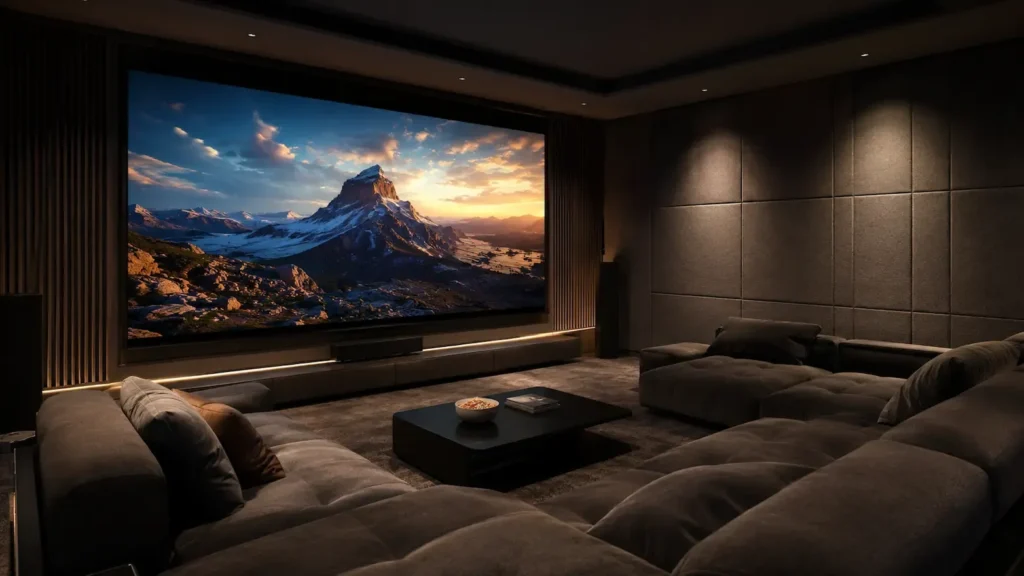
An 8K TV becomes more compelling when the room can support the scale. Large screens, closer seating, dedicated media rooms, premium home theatres, gaming spaces, and future-focused installations can make the upgrade more reasonable.
In those cases, the screen is not simply another TV. It becomes part of a larger system.
A homeowner may choose 8K for a very large display, premium processing, upscale panel quality, or long-term future readiness. Some 8K models also sit in higher product tiers, which can mean improvements beyond pixel count, including brightness, contrast, build quality, and design.
Still, the decision should be intentional.
An 8K TV setup needs the right mount, wall support, HDMI infrastructure, source devices, power planning, network reliability, and cable management. Without those pieces, the screen may never perform as well as expected.
The 4K vs 8K TV decision becomes much clearer when 8K is treated as a system upgrade, not a screen swap.
Infrastructure Comes Before the Upgrade
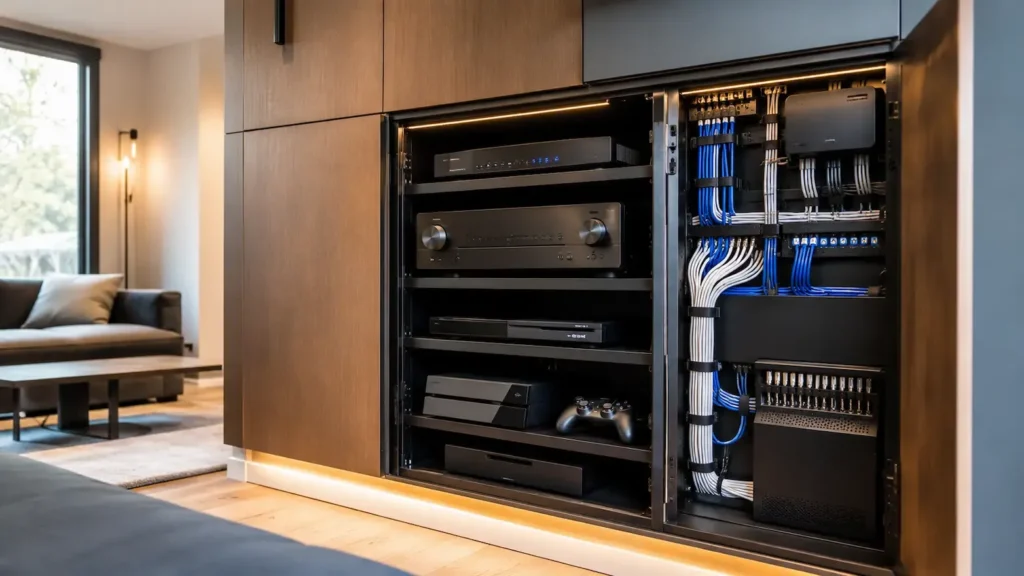
The most overlooked part of premium TV installation is infrastructure. Homeowners often start with the screen. A professional installation starts with the wall, the path behind the wall, the equipment location, and the way every connected device will support the system.
Infrastructure includes wall structure, mount type, power location, HDMI routing, cable length, conduit, source devices, AV receiver compatibility, network connection, ventilation, audio routing, and service access.
Those details become more important as performance expectations rise. Higher-resolution video and advanced formats can require better cables, better source equipment, and more careful planning. A beautiful TV can still feel limited if the signal path is weak.
This is why 4K vs 8K TV planning should happen before the screen arrives. The display is the visible part. The hidden work often decides how clean, reliable, and future-ready the final setup feels.
HDMI Planning Can Decide the Final Result
HDMI cable management is not only about hiding wires. It is about protecting performance.
A short cable from a streaming device to a TV is simple. A longer in-wall run from an equipment cabinet to a mounted display is different. Longer runs can be affected by cable quality, bandwidth requirements, bend radius, wall routing, and future replacement needs.
For a premium 4K setup, this already matters. For an 8K-ready system, it matters even more.
The installation should not trap the homeowner into today’s cable path. If a cable fails, becomes outdated, or cannot support a future device, the system should be serviceable. Conduit, accessible pathways, and thoughtful equipment placement can make future upgrades much easier.
A clean media wall should look simple from the room, but it should be planned intelligently behind the surface. That is where the 4K vs 8K TV conversation becomes less about buying and more about building.
HDMI 2.1 and the Weak Link Problem
HDMI 2.1 changed how many homeowners think about TV infrastructure. It is commonly associated with higher bandwidth, advanced gaming features, high refresh rates, and support for formats that can matter in premium 4K and 8K environments.
But HDMI labels can be confusing.
Not every device supports every feature. Not every cable performs the same way. Not every HDMI input on a TV or receiver may support the highest capability. A homeowner can have a premium display, then lose performance because an older receiver, cable, or source device becomes the weak link.
This is why the full signal chain matters. The TV, console, media player, AV receiver, soundbar, HDMI cables, wall plates, and in-wall wiring all need to work together.
Homeva evaluates these details because one overlooked component can limit the entire system. A 4K vs 8K TV upgrade should not create a hidden bottleneck behind a beautiful screen.
Mounting a Larger TV Requires Better Planning
Many 8K TVs are sold in larger sizes, and larger displays require more serious mounting decisions. Wall material, stud placement, bracket rating, viewing height, cable exit points, tilt, articulation, and service access all become more important.
A large TV should feel secure, aligned, and intentional. It should not look like it was forced onto a wall that was never prepared for it.
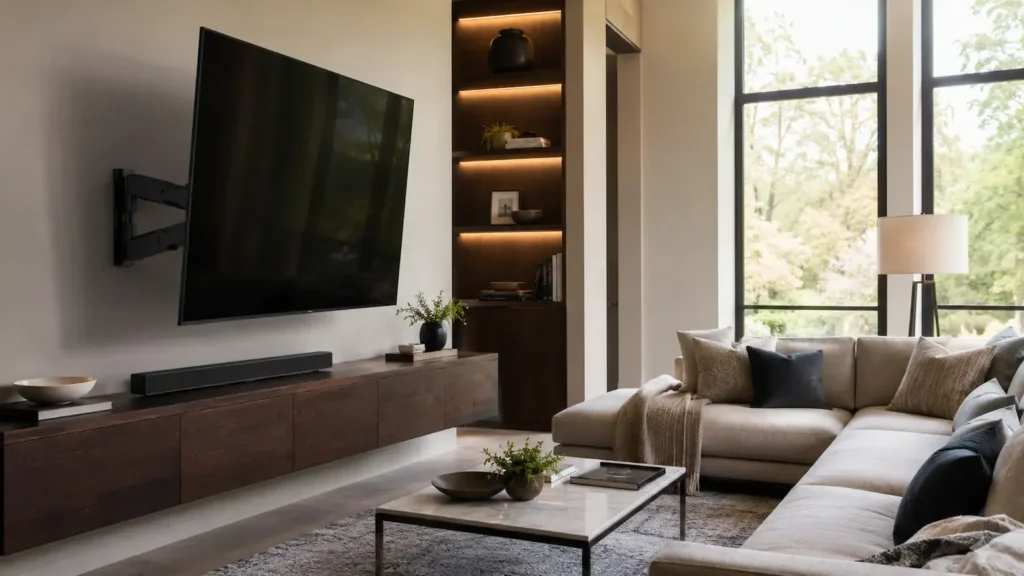
The mount should fit the room. A fixed mount may be ideal for a clean media wall. A tilt mount may help if the screen sits higher. An articulating mount may support flexible seating or access. A motorized mount may make sense in rooms where the screen needs to move with the space.
The right mount is not the most complicated one. It is the one that solves the room cleanly.
Wall Placement Can Matter More Than Resolution
A 4K vs 8K TV comparison becomes less useful if the screen is placed poorly. A TV mounted too high can strain the viewer. A screen placed across from bright windows can fight glare. A display centered on the wall but not aligned with seating can make the room feel subtly wrong.
Good placement balances architecture and comfort.
The screen should work with the seating, fireplace, cabinetry, speakers, windows, lighting, artwork, traffic flow, and room symmetry. It should also allow clean cable exits and serviceable wiring.
This is where installation becomes design. The TV is not only a device. It is part of the room’s visual balance, especially in premium homes where technology should feel integrated rather than attached.
Upscaling Does Not Replace Native Content
Many 8K TVs rely heavily on upscaling because native 8K content is still much less common than 4K content. Upscaling can be impressive. Strong processing can make lower-resolution sources look cleaner on a higher-resolution panel.
But upscaling is not the same as native 8K.
It can improve the image, but it cannot fully create detail that was never captured, mastered, or delivered in the original source. That does not make 8K a poor choice. It simply changes the reason to buy it.
A homeowner may choose 8K for screen size, premium panel quality, advanced processing, or future readiness. But the expectation should be realistic. The upgrade should improve the whole viewing experience, not depend on every movie, show, game, or broadcast becoming native 8K overnight.
That is why the 4K vs 8K TV decision should include content habits. What do you actually watch? Where does it come from? How often do you game, stream, watch sports, or use a media server? The answer matters.
Audio Should Be Part of the Upgrade
A sharper picture can make weak audio more noticeable. When homeowners upgrade to a premium display, the image may feel larger and more refined, but built-in speakers often do not match the scale of the picture.
A serious TV installation should consider sound from the beginning.
That may mean a premium soundbar, in-wall speakers, surround sound, a subwoofer, or a more complete media room design. It also means planning eARC, speaker wiring, equipment storage, receiver placement, and cable pathways before the system is finished.
A clean mounted TV with hidden cables and weak audio can still feel incomplete. The visual upgrade may be strong, but the room does not fully land.
The best 4K vs 8K TV setup is not only the one with the best panel. It is the one where picture, sound, placement, and control feel connected.
Network Reliability Matters More Than People Expect
Modern premium TVs depend heavily on streaming. A display can only perform as well as the content and connection it receives.
If the network is unstable, streaming quality can drop, apps can load slowly, and the experience can feel less premium than the hardware suggests. This matters for both 4K and 8K systems, especially when multiple devices in the home are also using bandwidth.
A strong installation may include a hardwired network connection, improved Wi-Fi design, better device placement, or upgraded networking hardware. This becomes even more important when the TV is part of a larger smart home environment.
The screen is only one part of the experience. A reliable network helps the system feel effortless.
Plan Cable Paths Before the Wall Is Closed
The cleanest installations are often planned before drywall, cabinetry, stone, or wall finishes are complete. If the home is being built or remodeled, that is the ideal time to plan conduit, power, HDMI runs, network drops, speaker wiring, equipment locations, ventilation, and future access.
In existing homes, a clean installation is still possible, but the options depend on structure. Fireplace walls, built-ins, exterior walls, attics, crawl spaces, and existing wiring can all affect the plan.
The mistake is waiting until the TV arrives to think about the infrastructure.
By then, the screen size, mount type, cable needs, and equipment location may create limitations that could have been avoided. A smarter approach plans the installation around both today’s screen and tomorrow’s upgrade path.
Should You Upgrade to 8K Now?
For many homeowners, the honest answer is not yet. A great 4K setup may offer better value if the room uses a moderate screen size, the seating is not especially close, and most viewing comes from common streaming sources.
In that case, the better investment may be better mounting, cleaner cable management, stronger audio, improved lighting control, upgraded HDMI infrastructure, or a more reliable network.
For other homes, 8K can make sense. A large display, close seating, dedicated theatre, gaming room, premium panel preference, or long-term future-ready plan can justify the move. But it should be matched with installation that supports the screen.
The best question is not “Is 8K worth it?” The better question is “Will this room and system let 8K matter?”
Future-Proofing Without Overbuilding
Future-proofing does not mean buying the most advanced screen immediately. It means avoiding obvious limitations.
A homeowner may choose 4K now but prepare the wall for a future 8K display. That might include conduit, high-quality HDMI planning, accessible cable paths, strong network support, proper mount placement, and equipment locations that can adapt later.
That is often the smartest approach. It protects flexibility without forcing an upgrade before the room needs it.
The 4K vs 8K TV decision does not have to be all or nothing. In many homes, the best move is to install today’s screen beautifully while preparing the infrastructure for tomorrow.
How Homeva Approaches TV Installation
Homeva approaches TV installation as a complete system, not a single wall task. That means evaluating the viewing position, screen size, wall structure, mount type, power location, HDMI requirements, cable path, source devices, network reliability, audio, ventilation, and room design.
For some homes, the right answer is a beautifully installed 4K TV with excellent cable management. For others, it is an 8K-ready system with upgraded HDMI infrastructure, a better equipment rack, hardwired network support, and a mount designed for a larger display.
The right plan depends on how the room is used. A family room, bedroom, sunlit living space, game room, and dedicated theatre all need different decisions.
Homeva’s role is to make those decisions feel clear, practical, and built around the home itself.
The Best Upgrade May Be Behind the Screen
The 4K vs 8K TV debate often focuses on what the viewer can see. But the success of a premium installation often depends on what stays hidden.
The bracket behind the screen. The HDMI path inside the wall. The power location. The network connection. The equipment’s ventilation. The way the screen aligns with seating. The way the cables remain hidden when the screen moves. The way the audio connects without clutter.
Those details decide whether the setup feels refined or improvised.
A premium TV deserves an installation that protects the investment. Otherwise, the screen may be capable of more than the room can actually deliver.
A Smarter TV Upgrade Starts With the Room
A 4K vs 8K TV decision should not be made from specifications alone. Specs matter, but the room matters more. The right choice depends on screen size, seating distance, wall placement, cable management, HDMI capability, source devices, network reliability, audio, lighting, and how the family actually watches.
For many homes, 4K is still the best practical fit. For select spaces, 8K can make sense, especially with a larger screen and an installation plan that supports the technology. In both cases, infrastructure decides how polished the final result feels.
If you are considering a new TV, a larger screen, an 8K-ready media wall, or a cleaner entertainment setup, contact Homeva to plan a professional TV installation that supports the screen, the room, and the way your home is actually watched.
FAQ
Is 8K better than 4K?
8K has more pixels, but the visible difference depends on screen size, seating distance, content quality, and installation setup.
Is 4K still worth buying?
Yes. For most homes, 4K remains practical, widely supported, and excellent when installed with the right placement and cable management.
Does 4K vs 8K TV quality matter in a small room?
It depends. In smaller rooms, seating distance and screen size decide whether the extra 8K detail is noticeable.
Do I need new HDMI cables for 8K?
Often, yes. Higher-resolution formats may require certified high-bandwidth HDMI cables and compatible source devices.
Can my wall mount support an 8K TV?
It depends on screen size, weight, wall structure, bracket rating, and installation conditions. A professional review is recommended.
What matters most in professional TV installation?
Placement, viewing height, wall support, cable management, power, HDMI path, audio, and network reliability all matter.