
Multi-TV setup Austin homeowners invest in has crossed a threshold: what once required a commercial venue now fits seamlessly inside the media rooms, covered patios, and open-plan living spaces that define the city’s newer builds. The convergence of 4K HDMI matrix distribution, in-wall cable architecture, and smart home control has made it possible to watch the Longhorns on one screen, Austin FC on another, and the Spurs game on a third, simultaneously, without a single visible cable or a dedicated remote for each display.
The difference between a well-executed multi-screen installation and a tangle of consumer electronics is almost entirely architectural. Screen sizing, viewing angles, signal routing, and audio zoning each carry specific engineering requirements that become visible the moment a setup goes wrong. Placement decisions that look simple on paper, like mounting a second TV above a bar counter or adding a display to a covered patio, carry structural, electrical, and acoustic implications that compound when multiple screens share the same signal source.
At Homeva, Austin’s luxury smart home integration studio, multi-screen entertainment design begins from the room outward. The team works within the TV Installation service framework to ensure that every screen in a space earns its position geometrically, connects cleanly to a unified signal backbone, and disappears into the room’s architectural language when the game is over.
Screen Sizing and Viewing Distance for a Multi TV Setup Austin Spaces Demand
The foundational variable in any multi-TV setup Austin residents encounter is the relationship between screen diagonal and seating distance. The SMPTE 30-degree standard, the benchmark used in professional broadcast monitoring, places the optimal viewing distance at 1.6 times the screen’s diagonal measurement. A 75-inch display, by that standard, seats comfortably at roughly 10 feet. The THX 36-degree standard, more cinematic in character, compresses that to about 8.5 feet for the same panel size.
In a multi-screen configuration, the primary viewing axis anchors the largest display. Secondary and tertiary screens require sight lines that read without neck rotation exceeding 30 degrees from the primary position. For a standard 20-foot-wide media room, this typically allows two flanking 55-to-65-inch panels positioned at roughly 45-degree angles off the primary axis. Covered patios common in Austin’s Hill Country builds often accommodate a third exterior-rated display, factoring in ambient brightness levels that demand 800 nits minimum for outdoor legibility at midday.
The geometry matters because a display mounted too high or at too acute an angle forces sustained neck strain across a three-hour game window. Professional installations establish sightline elevation based on seated eye height, typically 42 to 44 inches from finished floor, and calculate tilt angles accordingly. A screen centered at 54 inches with a 10-degree downward tilt reads cleanly from a sectional sofa. The same screen mounted at 72 inches without that compensation creates the fatigue pattern most homeowners attribute, incorrectly, to the display itself.
HDMI Matrix Distribution: The Signal Architecture Behind a Clean Multi-TV Setup Austin Projects Require
A four-screen installation drawing from three separate streaming sources, a cable or satellite input, and a game console requires more than four HDMI cables. It requires a matrix switcher: a device that routes any input signal to any output display independently and simultaneously. An 8×8 HDMI 2.0 matrix switch with HDCP 2.2 compliance handles up to eight sources and eight displays, supports 4K at 60Hz, and accepts control from RS-232, web interface, or a home automation platform such as Control4 or Savant.
The distribution backbone for a multi-TV setup Austin integrators design at scale runs over structured cabling routed during rough-in. HDBaseT or HDMI over Cat6 extensions carry uncompressed 4K signal up to 100 meters without compression artifacts, which matters when the matrix lives in a central equipment rack and displays are spread across two floors or an exterior zone. Fiber-optic HDMI extenders push that range further and eliminate ground loop interference in installations where signal travels between electrical panels.
Audio zoning follows the same logic. An AV receiver or a dedicated audio matrix distributes game audio to zones independently. A homeowner can route NFL play-by-play to the media room speakers while the same game plays silently on the kitchen display, or push ambient music to the patio while two separate game audio feeds run inside. This granularity, standard in Homeva’s structured entertainment installations, is the architectural difference between a multi-screen setup and a multi-room entertainment system.
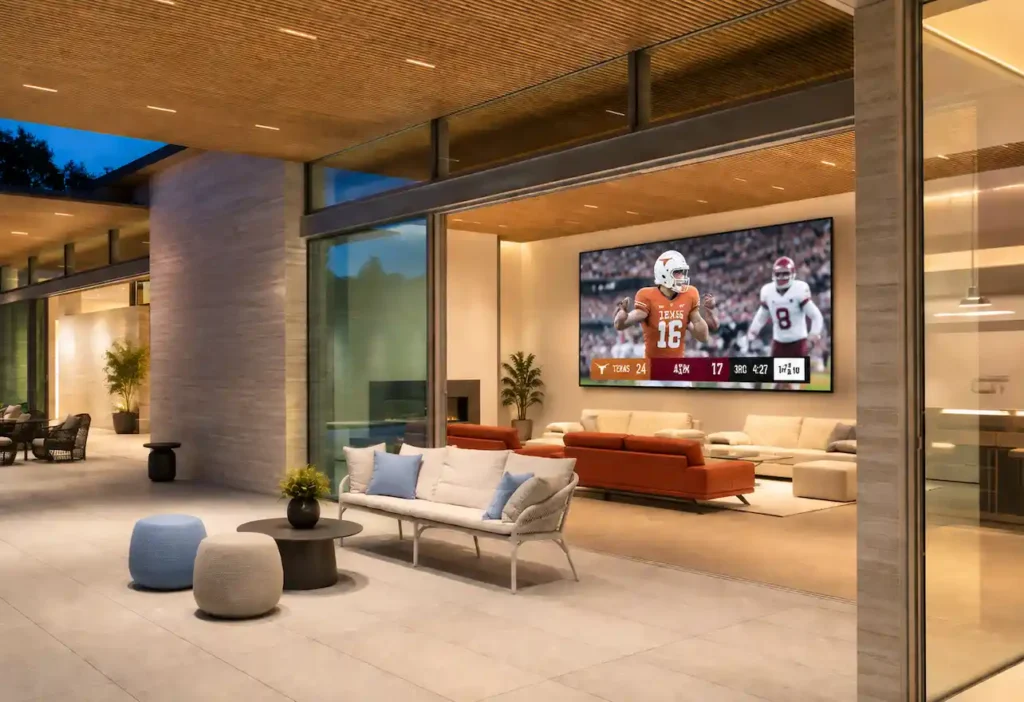
In-Wall Cable Management: Why It Defines the Quality of Every Multi-TV Setup Austin Homeowners Commission
The cable management layer is where a multi-TV setup Austin professionals deliver diverges most sharply from retail installation. Exposed HDMI runs, wire channels surface-mounted over drywall, and visible power cords are not aesthetic choices but engineering omissions. A clean installation routes every cable through the wall cavity before drywall close, with conduit sleeves that allow future upgrades without demolition.
New construction is straightforward: conduit paths are established during framing, and rough-in boxes for power, HDMI, and low-voltage data are set at each display position. Retrofit installations in Austin’s older Tarrytown, Hyde Park, or Barton Hills homes require a different approach.
Professionals map stud bays, fire-blocking locations, and existing electrical runs before cutting, using in-wall rated HDMI cables and low-voltage mounting brackets that satisfy code without junction boxes. The result is a display that appears to float on the wall, powered invisibly, with no trace of what routes behind it.
Outdoor and covered patio installations add weatherproofing requirements. Power outlets at display height must be GFCI-protected and rated for damp locations under Texas code. HDMI runs to exterior zones use direct-burial or conduit-enclosed cabling. Displays in these zones require an IP55 or higher weather resistance rating to withstand Austin’s summer humidity and the thermal cycling between July heat and January cold fronts that drop temperatures 40 degrees in a single evening.
Smart Home Integration for a Multi-TV Setup Austin Entertainment Spaces Deserve
The operating layer of a well-designed multi-TV setup Austin residents maintain should require no manual coordination. A single scene trigger on a Control4 or Savant panel, a voice command through Josh.ai, or a tap on a dedicated keypad should configure every display, route every source, set every audio zone, and adjust lighting to a game-ready preset. This is the difference between a system and a setup.
Scene logic for a game day environment typically defines two to four states. A “Kickoff” scene activates all displays, routes the primary game to the main screen and secondary feeds to flanking panels, sets audio to media room speakers only, and brings lighting to a 70% warm-white level. A “Halftime” scene pauses non-primary audio feeds, brightens the kitchen and bar zones, and activates the outdoor speakers for ambient music. A “Late Game” scene dims the room and focuses audio on the primary display only. Each state is saved once during commissioning and recalled instantly thereafter.
The integration layer also handles input switching transparently. When a homeowner says “switch to the Austin FC game” through a Josh.ai microphone, the system identifies the active source carrying that feed and re-routes it to the appropriate display without requiring the homeowner to know which HDMI input carries which signal. This abstraction layer is the core value of professional integration over consumer switchers managed by IR blasters and multiple remotes.
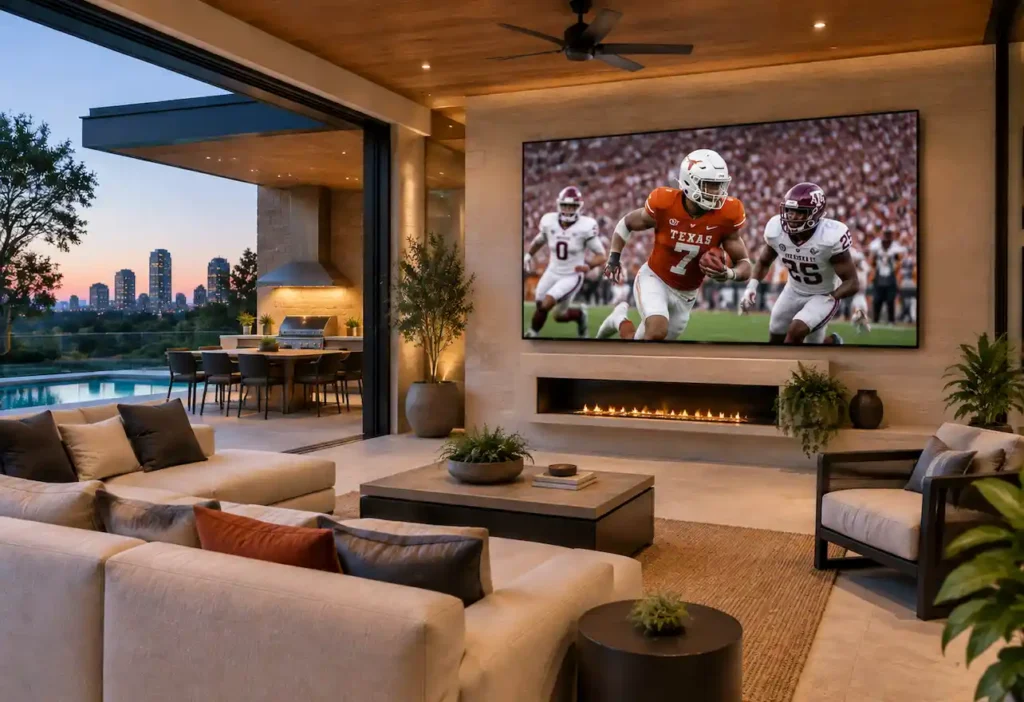
Designing Your Multi-TV Setup Austin Home Deserves
A multi-TV setup Austin homeowners live with for years is not a product purchase but a design decision. The variables involved, screen geometry, signal distribution, cable architecture, audio zoning, and smart home integration each require professional coordination from the first site visit through final calibration.
Errors in any one layer surface as visible compromises the system never fully recovers from: a display at the wrong height, a signal chain that introduces latency, or a cable run that limits future expansion.
Homeva designs and installs multi-screen entertainment environments across Austin, from compact media rooms in Travis Heights to full outdoor entertainment zones in Westlake Hills and Steiner Ranch. The process begins with a site assessment that maps sightlines, structural realities, and existing electrical infrastructure before a single screen is specified.
Every installation is calibrated to the household’s specific game day routines, whether that means three sports feeds running simultaneously on Saturdays or a single outdoor display for a weekly gathering on the covered patio. Contact Homeva to schedule a consultation and bring game day home.
FAQ
How many screens can a professionally installed multi-TV setup Austin include?
Most residential installations in Austin work with two to four screens connected to a central HDMI matrix. Larger-scale systems can manage eight or more displays across distributed zones, including interior spaces and covered outdoor patios.
What screen size is recommended for an entertainment room with a multi-TV setup Austin?
The SMPTE standard places the optimal viewing distance at approximately 1.6 times the screen diagonal. For rooms between 10 and 14 feet deep, 75-to-85-inch panels for the primary position and 55-to-65-inch panels for secondary positions are the most common specifications.
Can a multi-TV setup Austin be installed on a covered outdoor patio?
Yes. Outdoor installations require displays rated IP55 or higher, HDMI cabling rated for environmental exposure, and GFCI-protected outlets in compliance with Texas electrical code. The minimum recommended brightness for Austin outdoor environments is 800 nits.
How is audio managed in a multi-TV setup Austin with multiple active screens?
Through an audio matrix or a zoned AV receiver. Each zone can reproduce the audio feed assigned to its screen independently, or receive a different audio signal while the display shows separate content in parallel.
What control system is used to manage a multi-TV setup Austin with multiple signal sources?
Residential integration platforms such as Control4, Savant, or Josh.ai allow managing all sources, displays, and audio zones from a single interface or voice command, eliminating the need for multiple remote controls.