
Austin smart home storm outage recovery work with systems which start up is crucial: a smart home is not a bunch of standalone devices. It’s a complex system of interlocking systems with processors, switches, wireless access points and controllers dependent on one another in a specific order, and bringing any of them back out of sequence can produce failures that look random but are entirely preventable.
Post storm calls from Austin tend not to be failing hardware, but systems that for one reason or another did not come back correctly and no plan existed to bring them back correctly.
Storms in Central Texas typically cause two different types of power outages. A fast-moving single cell thunderstorm causes a 30 minute or so power outage that clears in a matter of minutes. The minor perturbations to your home cause certain scenes not to reload, your thermostat to lose its schedule, and a zone that went silent and stayed that way. The second scenario is harder.
A prolonged storm event like occurred in July or January can result in a multi-day power outage event followed by extended duration internet outages. An Austin smart home storm outage recovery process for that second scenario is fundamentally different, and more systems will need attention before the home feels normal again.
For Homeva’s service plans, a documented recovery sequence for the clients’ systems is part of the service plans service. This service exists because, without a record of what has been installed, how it has been set up and what order it should restart, is the longest way to get back to normal.
What Happens Inside the System During an Outage
First you need to understand what happens during a power failure to a home automation system. Home automation processors are constantly updating their state during normal operation. A processor that loses power in the middle of a cycle is not simply paused and resumed later. It will restart with a partially corrupted configuration that shows up as unexpected behavior days later rather than immediately.
That delayed symptom pattern is one of the reasons Austin smart home storm outage recovery requires a diagnostic pass, not just a visual check that everything turned back on.
Each type of network equipment has its own set of vulnerabilities at different times. For example, a router or even a managed switch can initialize in a somewhat-degraded state if it cycled down before its upstream link had come back up to full operation. It would then be searching for a non-existent signal and locking off a certain IP address can prevent the controller from being visible to the app even though both devices appear to be running. The fix is straightforward when you know what you are looking at and frustrating when you do not.
In addition to causing electrical problems, extended outages can also cause thermal problems. A closet full of equipment, located in an Austin climate controlled space, can reach temperatures in excess of component operating temperatures in a matter of hours. The odd failure can occur within weeks due to increased failure rate of capacitors and storage media inside processors in ways that show up weeks later as instability rather than immediate failure.
Part of any thorough Austin smart home storm outage recovery assessment after a prolonged summer outage is checking operating temperatures before running the system at full load.
The Restart Sequence That Prevents Most Post-Storm Problems
In Austin smart home storm outage recovery, infrastructures, including networking equipment and power conditioning equipment, should be brought online and stabilized before restarting automation processors and the associated endpoint equipment.
Start by restarting your ISP’s modem or ONT. Give it a couple of minutes to come up and establish a connection with the internet. Once that link is confirmed, restart the router, and wait again before moving to any managed switches downstream of it. Skipping that wait is the most common source of network conflicts in post-storm recoveries.
One has to differentiate between coming up of switches in comparison with the router not having assigned IP addresses yet. In such a scenario, the automation system will find a different network configuration than the one it had stored prior to the failure. The full minute between each network layer restart is not excessive; it is the interval that prevents the majority of configuration conflicts.
Once the network is up and running, power up the automation processors and home controllers in dependency order. Typically, the main controller or processor boots up first, as this is generally a ‘master’ that all the other devices report back to, not the other way round. Once it shows online in whatever diagnostic interface the system provides, secondary processors, audio distribution equipment, and satellite devices can come back one zone at a time.
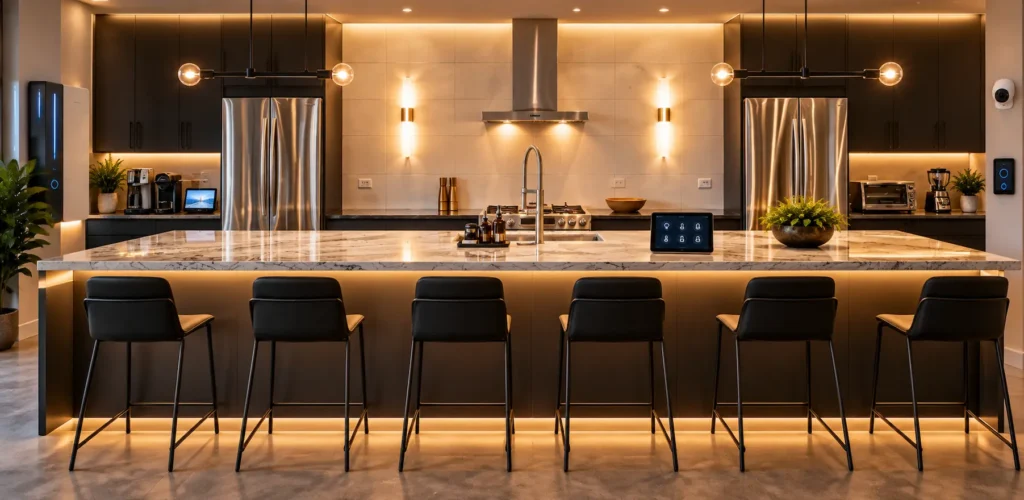
Austin Smart Home Storm Outage Recovery: What to Check Before Calling the System Normal
Rebooting your smart home after a power outage and saying “I’m done” after all your lights and devices come back online and your app indicators are once again green, and verifying that your system is functioning properly after the storm and has returned to its pre-storm state of operation (as it was before the power went out). Several categories of verification are worth running through before closing out the recovery.
At Austin smart home storm outage recovery, test lighting scenes room by room at your primary interface (e.g. a wall button or app). Rather than simply checking if all lights come on, verify that all scenes (including all levels and color temperature changes) work as they did before the storm. A scene that looks slightly different indicates that the lighting processor has defaulted values rather than the saved configuration, which is a solvable problem but one that gets harder to trace if it sits undiscovered for several weeks.
Climate equipment could have a special pass written for it. As it stands now, thermostats save their schedules on the automation controller but those schedules survive an outage while the thermostat’s local schedule does not, or vice versa, leaving the home in a condition where the controller thinks the schedule is active but the thermostat is running on defaults.
In the hot summer months in Austin, this discrepancy could easily result in a home being several degrees warmer at night than what the app indicates. Verifying that the thermostat itself is operating in accordance with the schedule loaded into the controller addresses this.
Many security and access control devices require verification at the individual device level. Lock firmware can sometimes roll back to a local-only configuration after a network disconnect, while before the outage a streaming camera will require a manual pairing of the device to rejoin the network. These devices will display a false ‘green’ status in the app most commonly masks a real disconnection, and they are also the devices where discovering the failure at 10pm is the worst possible time.
For homeowners dealing with storm-related system issues, reviewing smart home services in Austin can help ensure the right recovery support is available.
Documenting What You Found and What You Did
For many homeowners at Austin smart home storm outage recovery, documentation is one of the most overlooked steps and can lead to much frustration in the future. By documenting which smart home devices came back on their own and which had to be powered cycles and what specific recovery steps were taken for individual devices.
The minimum useful record would be the date and length of time that the outage occurred. It would also be good to note which devices had to have a factory reset or re-paired. Also note which systems started to fail days after the initial outage and how the various pieces of network equipment and processors were powered down in sequence.
For homes on a service plan, this documentation feeds directly into the system record that Homeva maintains on the client’s behalf. The post-storm diagnostic that runs through remote monitoring produces a version of this log automatically, but the homeowner’s ground-level observations, what felt different, what the app showed during the recovery, which room came back last, add specificity that remote telemetry cannot capture on its own.

When to Stop and Call for Professional Help
Austin smart home storm outage recovery has a clear stopping point for a homeowner working through the sequence without professional support. That stopping point is any situation where a device shows as online in the app but behaves incorrectly in the space, because that condition, what technicians call a ghost-online state, is almost never resolvable through a power cycle.
It requires someone with access to the system’s backend to force a full device refresh or, in some cases, to restore the controller database from a pre-storm backup.
A processor that will not come back online after two full restart cycles is the other signal to stop. Repeated restart attempts on a processor that is not responding can compound the problem if the unit is in a degraded state from thermal exposure or a write interruption at the moment of power loss. An integrator with remote access to the system can read the processor logs before recommending a next step, which is a very different starting point than a homeowner cycling power on a unit they cannot diagnose.
The cases that look like hardware damage but turn out to be configuration issues are surprisingly common after significant events. An integrator who has seen a hundred post-storm recoveries in Austin homes brings pattern recognition to the diagnostic that saves several hours of troubleshooting. That is the practical value of having a standing relationship with the team that installed the system, rather than calling a new provider who is reading the system for the first time while the client is standing there waiting.
Contact Homeva to ask a designer to review your recovery checklist and confirm it matches the specific sequence your system needs.
FAQ
What is the correct restart order for a connected home after a storm outage?
Network infrastructure comes first: modem or ONT, then router, then any managed switches, with a full minute between each step. Once the network is stable and the internet connection is confirmed, the main automation processor restarts, followed by secondary controllers and zone devices. Reversing this order or skipping the wait intervals between steps is the most common source of post-storm connectivity problems.
Why do some smart home devices appear online but behave incorrectly after an outage?
A device can complete its network authentication and register as online while its internal configuration did not restore correctly. This condition usually means the device reloaded default settings rather than its saved state, or that a dependency it expects, a controller, a network address, a cloud token, is pointing to a value that changed during the outage. Resolving it typically requires access to the system’s backend rather than a simple restart.
How long does Austin smart home storm outage recovery take?
A clean recovery from a short outage with no hardware issues usually takes thirty to sixty minutes following the structured restart sequence. Recovery from a multi-day outage, particularly one that involved summer heat in the equipment enclosures, may take several hours spread over two or three days as delayed symptoms surface. Any system that requires a configuration restore from backup extends that timeline further.
What documentation should I keep after a storm outage?
Record the outage date and duration, which devices required manual intervention to recover, what that intervention involved, and any symptoms that appeared in the days following the event. That record gives a technician a meaningful starting point if a follow-up issue surfaces weeks later and is the primary input that helps an integrator adapt the recovery sequence before the next storm season.
When is it time to call a professional during an outage recovery?
Stop and call if a device shows as online in the app but is not functioning correctly in the space, if a main processor does not come back after two complete restart attempts, or if the network shows connected but the automation system cannot see its devices. Each of those conditions points to a problem that repeated power cycling is unlikely to resolve and may worsen.
Does a service plan help with storm recovery?
A plan that includes remote monitoring and post-storm diagnostics allows the integration team to assess the system’s status the morning after a significant event, before the homeowner has noticed anything unusual. Anomalies that would take days to surface on their own show up immediately in the monitoring data, and a standing relationship with the installation team means the recovery starts with someone who already knows the system.